
A business phone system needs to do more than connect one caller to another. For small businesses, it should support employees, handle customer calls efficiently and work reliably with the company network. VoIP phone systems for small businesses in Culver City use an internet connection to manage business calls while offering features that traditional phone lines may not provide.For companies considering a new phone system, the important question is not simply whether VoIP works. It is whether the network, calling features and business requirements are ready for the transition.
How VoIP Phone Systems Work for Small Businesses
VoIP or Voice over Internet Protocol, sends voice communications over an internet connection instead of relying on traditional telephone lines. This allows a business to manage calls through internet-connected devices and use a range of business communication features.
A VoIP phone system can include:
- Business phone numbers and extensions
- Call forwarding
- Voicemail
- Call routing
- Multi-device access
- Softphones and computer-based calling
- PBX functionality
- Support for employees working from different locations
The right configuration depends on how many employees use the system, how calls are handled and what other technology the business already has in place.

Why Small Businesses Choose VoIP Phone Systems
A traditional phone setup can become restrictive as a company adds employees or changes how its staff works. VoIP gives businesses more flexibility because the phone system operates through the network rather than depending entirely on physical telephone lines.
Easier Business Communication
Employees can use extensions and centralized calling features without requiring a separate traditional phone line for every communication need. This can make it easier to organize calls between employees and customers.
Flexible Options for Growing Teams
A small business may start with only a few users and later add employees or locations. A properly planned VoIP system can accommodate changes in the company’s communication requirements.
Support for Remote Work
Employees do not always work from a traditional office. Depending on the selected VoIP platform and configuration, business communications can be accessed through computers and other connected devices.
More Business Phone Features
VoIP systems can provide features that help businesses manage incoming and outgoing calls more efficiently. Call routing, voicemail and extensions can help organize communication without requiring employees to manually manage every call.
Your Network Matters More Than the Phone Itself
One of the most important considerations when installing a VoIP phone system is the network behind it.
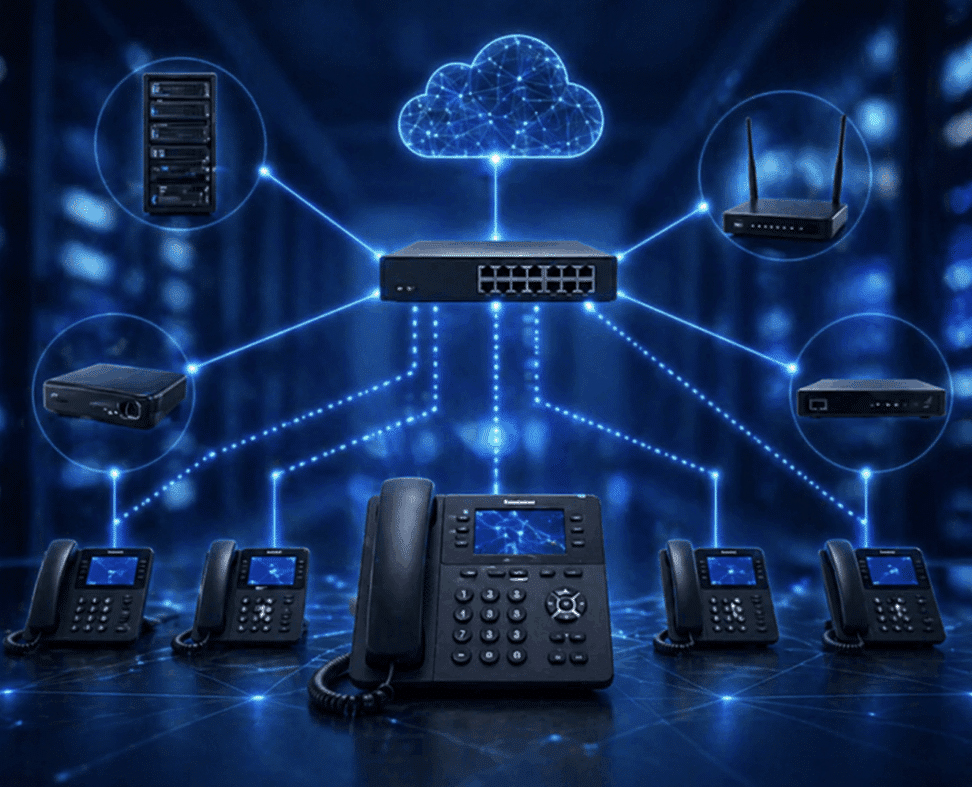
Voice traffic depends on network performance. Problems with bandwidth, latency, connectivity or network configuration can affect call quality even when the phone equipment itself is working correctly.
Before implementing a new system, a business should consider:
- Internet connection performance
- Available bandwidth
- Network configuration
- Wired and wireless connectivity
- Network equipment
- Number of simultaneous calls
- Existing computers and other connected devices
- Future growth
This is particularly important for small businesses that have not recently reviewed their network infrastructure.
TechCare Computers lists network design, implementation, optimization, troubleshooting and network management among its business IT services.
Choosing Between VoIP and a Traditional Business Phone System
VoIP is not automatically the best choice for every company. The decision should be based on the way employees communicate and the infrastructure already available.
A business evaluating VoIP vs traditional phone systems should consider internet dependency, scalability, remote access, available business features, network requirements and existing infrastructure. VoIP relies on an internet connection and can offer flexible options for growing teams and remote employees. It also depends more heavily on the business network. Traditional phone systems generally have lower internet dependency but may require additional physical lines as the company grows and can offer more limited remote access depending on the setup.
The goal is not simply to replace an old phone system. It is to select a communication setup that fits the company’s operations.
What to Look for in a Small Business VoIP System
Before choosing a provider or platform, create a list of the functions employees actually need.
Call Management Features
Consider whether your business needs call forwarding, voicemail, extensions, call routing or other call management functions.
Number of Users
Estimate how many employees will use the system today and how many may need access as the company grows.
Device Compatibility
Determine whether employees will use desk phones, computers, mobile devices or a combination of devices.
Network Compatibility
The VoIP system should fit into the existing network rather than creating a new source of connectivity problems.
Business Continuity
Consider what happens if the internet connection or network becomes unavailable. Your business should understand how calls will be handled during a connectivity problem before deployment.
Security
VoIP is part of the business technology environment and should be considered alongside broader network security practices. Access controls, secure configurations and appropriate network protections can help reduce unnecessary exposure.
When a PBX VoIP System Makes Sense
A PBX or Private Branch Exchange, manages internal extensions and business calls. Modern PBX systems can operate through VoIP and provide businesses with centralized control over their phone communications.
A VoIP PBX system for a small business can make sense when employees need individual extensions, shared business numbers or structured call routing.
For example, a company might have:
- A main business number
- Separate extensions for departments
- Individual employee extensions
- Call forwarding
- Voicemail
- Internal employee calling
The exact configuration should reflect how the company handles calls rather than simply adding every available feature.

VoIP Phone Systems for Businesses in Culver City
Culver City businesses operate across professional services, retail, creative companies and other industries where dependable communication can be important to daily operations.
A local business considering a VoIP phone system should look beyond the phone platform itself. The existing office network, internet connectivity, cabling and other infrastructure can all affect the final setup.
This is where a broader IT review can be useful. TechCare Computers provides network design and implementation, network optimization, network management and voice and data cabling services in addition to VoIP and PBX solutions.
For a company in Culver City, evaluating these pieces together can help identify infrastructure issues before they interfere with business communications.
How to Prepare for a VoIP Installation
Before switching systems, gather basic information about the current phone environment.
Start with the number of employees who need phone access. Then identify how many incoming calls the company typically handles and which employees or departments need separate extensions.
Next, review the network. Check the internet connection, network equipment and office cabling. If the network already experiences slowdowns or connectivity problems, those issues should be addressed before relying on it for business voice communication.
Finally, identify the features employees actually use. This prevents the company from paying for or implementing functionality that does not contribute to its daily operations.
Common VoIP Problems Small Businesses Should Avoid
VoIP problems are not always caused by the phone system itself.
Ignoring Network Performance
Poor connectivity can lead to dropped calls, delays or inconsistent audio. A phone system cannot compensate for an unstable network.
Choosing Features Before Identifying Requirements
A long feature list does not necessarily mean a better business phone system. Start with the way employees communicate and select functionality around those needs.
Forgetting Office Cabling
Physical infrastructure still matters. Voice and data cabling can affect how devices connect to the business network.
Treating VoIP as a Separate IT System
The phone system interacts with the network, internet connection and other business technology. It should therefore be considered as part of the broader IT environment.
Planning Only for Current Employees
A system that works for five users may not be the right configuration for a company expecting to add employees or change locations. Future requirements should be considered during the initial planning process.
Frequently Asked Questions About Business VoIP
Is VoIP a good option for a small business?
VoIP can be a practical option for small businesses that want internet-based business communications and features such as extensions, call routing and voicemail. The existing network and business requirements should be evaluated before implementation.
What does a small business need for a VoIP phone system?
A business generally needs an appropriate internet connection, network infrastructure, compatible devices and a VoIP service or PBX solution. The exact requirements depend on the number of users and the selected system.
Can VoIP work with an existing business network?
Yes, but the network should be capable of supporting the additional voice traffic. Network performance, equipment, connectivity and configuration should be reviewed before deployment.
How much internet bandwidth does a small business VoIP system need?
There is no single bandwidth requirement for every business. The amount needed depends on the number of simultaneous calls and the rest of the network traffic. A network assessment can help determine whether the existing connection is suitable.
Is a VoIP PBX system suitable for a small office?
A VoIP PBX can be suitable for a small office that needs extensions, centralized call management or other PBX functionality. The appropriate configuration depends on the company’s communication requirements.
Should a business upgrade its network before installing VoIP?
If the existing network has performance, connectivity or configuration problems, addressing those issues before implementing VoIP can help prevent call quality problems and other disruptions.
Choose the Right VoIP Setup for Your Business
A business phone system should support the way your employees actually communicate rather than force your company to work around the technology. VoIP can provide flexible calling and PBX functionality, but the quality of the result depends heavily on the underlying network and the way the system is configured.
TechCare Computers provides VOIP Service And PBX Telecomm Solutions along with network design, network management, optimization, troubleshooting and voice and data cabling services. If your Culver City business is considering a new VoIP phone system or needs to evaluate the network supporting its communications, contact TechCare Computers to discuss your business technology needs.