
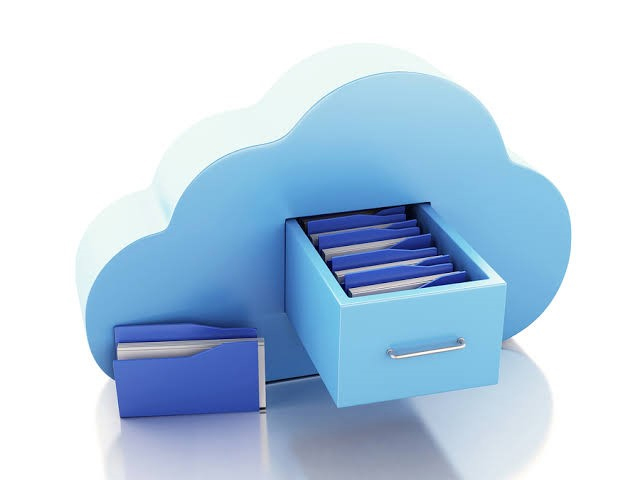
Modern businesses generate and manage large volumes of digital information every day. Documents, financial records, customer files and project data must remain accessible, organized and protected. Cloud file storage provides a practical solution by allowing businesses to securely store, manage and share files without relying entirely on local servers or physical storage devices. Understanding the benefits of cloud file storage helps organizations improve efficiency while reducing the risks associated with traditional data management.
Why Businesses Are Moving to Cloud File Storage
Business operations have become increasingly dependent on remote access, digital collaboration and reliable data protection. Traditional storage systems often require expensive hardware, regular maintenance and manual backup procedures. Cloud file storage addresses these challenges by providing secure access to files from virtually any location while reducing infrastructure costs and simplifying daily operations.
Companies of every size can benefit from cloud storage because it supports business growth without requiring major investments in new hardware.

How Cloud File Storage Improves Daily Operations
Secure Access from Any Location
Employees can securely access business files whether they are working in the office, at home or while traveling. Permission-based access ensures that sensitive information is only available to authorized users.
Businesses using hybrid or remote work models benefit from consistent file availability without depending on office networks.
Automatic Backup Protection
Hardware failures, accidental deletion and ransomware attacks can result in significant data loss. Cloud storage automatically creates backups according to predefined schedules, reducing the risk of losing important business information.
Automatic backup also simplifies disaster recovery by allowing organizations to restore files quickly when unexpected incidents occur.
Better Team Collaboration
Cloud platforms allow multiple employees to work on shared documents simultaneously. Real time synchronization keeps files updated across all devices, reducing version conflicts and improving project coordination.
Collaboration tools also make it easier to communicate changes and maintain document consistency across departments.
Business Advantages Beyond File Storage
Flexible Storage Capacity
Business storage requirements change over time. Cloud platforms allow organizations to increase or decrease storage capacity based on current needs without replacing physical equipment.
This flexibility supports growing businesses while preventing unnecessary technology expenses.
Strong Security Features
Leading cloud storage providers include advanced security measures such as encryption, multi factor authentication, access controls and activity monitoring. These features help protect confidential business information against unauthorized access.
Regular security updates further strengthen protection against evolving cyber threats.
Reduced IT Maintenance
Maintaining local file servers requires ongoing monitoring, hardware replacement, software updates and troubleshooting. Cloud storage shifts much of this responsibility to the service provider, allowing internal IT resources to focus on strategic business priorities.
Common Business Scenarios Where Cloud Storage Adds Value
- Organizations across many industries rely on cloud file storage to simplify operations.
- Accounting firms securely store financial documents while maintaining controlled client access.
- Healthcare providers organize administrative records with secure permission management.
- Construction companies share project documentation between office staff and field teams.
- Professional service firms collaborate on proposals, contracts and presentations without relying on email attachments.
Each of these examples demonstrates how centralized cloud storage improves accessibility while maintaining security.
Best Practices for Cloud File Storage
- Businesses achieve the greatest value from cloud storage by following proven management practices.
- Create user access policies that limit permissions based on employee responsibilities.
- Enable multi factor authentication for every business account.
- Review storage permissions regularly to remove unnecessary access.
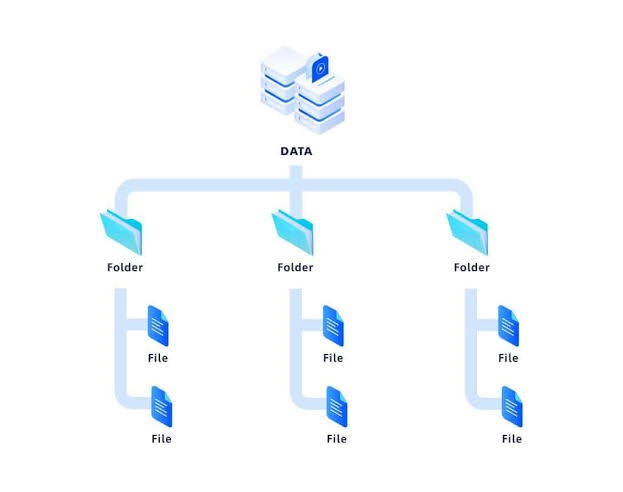
- Organize files using standardized folder structures that simplify collaboration.
- Schedule routine audits to identify outdated files and maintain compliance with internal policies.
- Train employees on secure file sharing practices to reduce accidental data exposure.
Choosing the Right Cloud File Storage Solution
Not every cloud storage platform offers the same capabilities. Businesses should evaluate providers based on security, scalability, reliability, integration options and ongoing support.
Consider whether the platform integrates with productivity tools such as Microsoft 365, Google Workspace or other business applications already used by your organization. Reliable synchronization, automatic version history and responsive technical support are also important when selecting a long term solution.
How TechCare Computers Helps Businesses Manage Cloud File Storage
TechCare Computers helps businesses implement secure and reliable cloud file storage solutions that support productivity and long term growth.
Our services include:
Cloud Storage Planning: Select the right platform based on your business requirements.
Secure Data Migration: Transfer existing files with minimal disruption.
Access Management: Configure user permissions and security policies.
Backup Configuration: Protect business data through automated backup strategies.
Ongoing Support: Monitor, maintain and optimize your cloud environment.
Improve file security, simplify collaboration and protect valuable business information with a professionally managed cloud file storage solution. Contact TechCare Computers today to discover the right cloud storage strategy for your business.