
Microsoft 365 has become an important part of how many businesses handle email, documents, collaboration, calendars, meetings and cloud-based work. But subscribing to Microsoft 365 does not automatically mean that everything is configured, maintained and used effectively. For businesses in Culver City, professional Microsoft 365 Support for Businesses in Culver City can help address technical issues, improve the day-to-day use of Microsoft 365 applications and keep business users productive when problems arise.
Why Microsoft 365 Requires More Than a Subscription
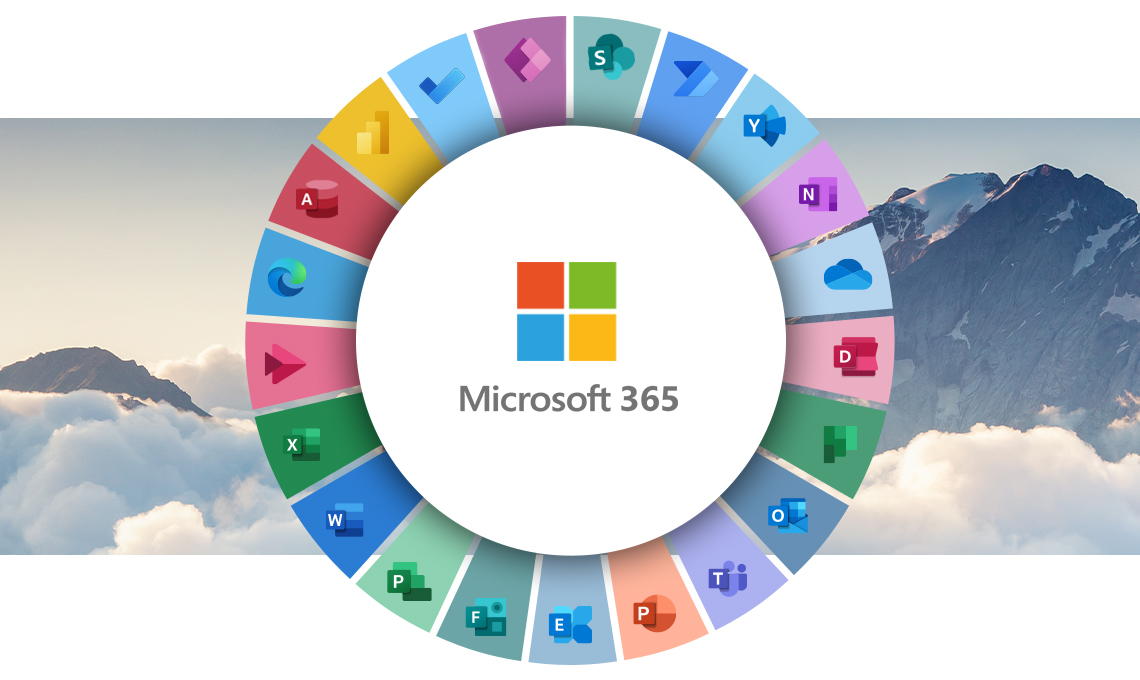
Microsoft 365 brings multiple applications and services together in one cloud-based environment. Depending on the organization’s setup, employees may use Outlook, Exchange Online, Microsoft Teams, OneDrive, SharePoint, Word, Excel and other Microsoft services.
That flexibility is useful, but it can also make administration more complicated.
Different applications serve different purposes
A business may use Outlook for email and calendars, Teams for communication and meetings, OneDrive for individual file storage, and SharePoint for shared documents and collaboration.
When employees are unsure where information belongs or how different applications should be used, the company can end up with duplicated files, inconsistent workflows and unnecessary technical questions.
User accounts affect the entire Microsoft 365 environment
Employee accounts are connected to access, applications, email, files and other resources.
When an employee joins or leaves the organization, changes to account access need to be handled appropriately. The same applies when employees change roles or require access to additional resources.
Effective account management is therefore an important part of Microsoft 365 administration.

Where Businesses Commonly Need Microsoft 365 Help
Microsoft 365 problems are not always obvious. Sometimes the issue is a simple configuration problem. In other cases, several settings or services may be involved.
Here are some of the areas where businesses commonly need technical assistance.
Outlook and business email
Email is often one of the most important Microsoft 365 services for a business.
Problems can include:
- Outlook synchronization issues
- Email configuration problems
- Calendar synchronization
- Problems sending or receiving messages
- Issues connecting Outlook to an account
- Questions about shared mailboxes
- Email access problems across multiple devices
Resolving the immediate problem is important, but understanding why it happened can help prevent similar issues from affecting other users.
Microsoft Teams
Teams can bring messaging, meetings, calling and collaboration into one environment. However, users may encounter problems with meetings, permissions, notifications, accounts or application configuration.
Consistent configuration and clear internal practices can make Teams easier for employees to use.
OneDrive and SharePoint
Cloud-based file storage and collaboration can improve accessibility, but businesses need to understand how files are organized and shared.
Questions may arise about synchronization, permissions, shared documents, folder structures and access between users.
A well-organized approach can make it easier for employees to find information without creating unnecessary duplicates or uncontrolled sharing.
Microsoft 365 Support Should Address the User, Not Just the Software
One common mistake is to look at Microsoft 365 as a collection of applications rather than part of a company’s broader technology environment.
The same Microsoft 365 configuration can work well for one organization and poorly for another.
Avoid unnecessary complexity
Microsoft 365 offers a broad range of features. Businesses do not necessarily need to implement every available capability.
A simpler environment that employees understand can be more useful than a complicated setup with features that nobody uses consistently.
A Practical Microsoft 365 Management Checklist
Businesses can use a simple checklist to identify areas that may need attention.
Review user accounts
Periodically review active accounts and confirm that users have appropriate access.
Pay particular attention to accounts belonging to former employees and users whose responsibilities have changed.
Review permissions
Employees should have access to the information and resources they need for their work.
Excessive permissions can create unnecessary security and management risks, while insufficient permissions can prevent employees from completing routine tasks.
Check device access
Employees increasingly access Microsoft 365 from laptops, desktops, smartphones and tablets.
Businesses should understand which devices are accessing company resources and whether those devices are appropriately managed and protected.
Evaluate file organization
Take a look at how employees use OneDrive and SharePoint.
If employees routinely create multiple copies of the same document or cannot determine where a file should be stored, it may be time to reconsider the company’s file-management approach.
Review security settings
Microsoft 365 should be considered as part of the company’s broader cybersecurity strategy.
Account protection, authentication, permissions, email security and user awareness all play a role in protecting business information.

What Does Microsoft 365 Support Include?
The exact scope of support depends on the business and its technology environment. However, companies typically seek assistance with several broad areas of Microsoft 365 administration and troubleshooting.
These may include:
- Microsoft 365 account and user issues
- Outlook and email problems
- Microsoft Teams troubleshooting
- OneDrive and SharePoint questions
- Access and permission issues
- Microsoft 365 configuration
- Device connectivity to Microsoft 365 services
- General Microsoft 365 troubleshooting
- Guidance on using Microsoft 365 applications more effectively
The important consideration is not simply whether a provider can fix a particular error. Businesses should also consider whether the support approach fits their existing IT environment.
Microsoft 365 and Cybersecurity
Microsoft 365 is part of a company’s digital infrastructure, which means its accounts and data should be considered within the organization’s overall security strategy.
A compromised Microsoft 365 account can potentially expose email, documents, contacts, calendars and other business information.
Protecting user accounts
Strong authentication practices are an important component of account security.
Businesses should evaluate how users authenticate, who has administrative access, and whether account permissions remain appropriate as employees and responsibilities change.
Reducing phishing risks
Business email can be targeted by phishing and social engineering attacks.
Employees should know how to recognize suspicious messages and what to do when a message appears unusual. Technical controls and employee awareness work best when they support each other.
Managing access to business information
Not every employee needs access to every file or resource.
A thoughtful permissions structure can help businesses limit unnecessary access while still allowing employees to collaborate efficiently.
Choosing the Right Microsoft 365 Setup for a Growing Business
As a small business grows, its Microsoft 365 environment can become more complicated.
An organization may add employees, create new teams, introduce additional applications, change workflows or move more business information into cloud services.
Without regular attention, these changes can lead to inconsistent permissions, confusing file structures, unused accounts and inefficient workflows.
Growth can expose existing problems
A Microsoft 365 setup that worked for five employees may become difficult to manage when the company has significantly more users.
This does not necessarily mean that the business needs a completely different technology platform. It may simply need to review how the existing environment is organized.
Standardization can make support easier
Consistent naming, account-management procedures, file organization and user practices can reduce confusion.
Employees spend less time figuring out where information belongs or how a particular Microsoft 365 feature works when there are clear internal processes.
Microsoft 365 Support for Businesses in Culver City
Businesses in Culver City operate across a wide range of industries and company sizes, but many share a common need: reliable access to email, documents, communication tools and business information.
Microsoft 365 can support these requirements, particularly when employees need to collaborate across offices, work remotely or access business resources from multiple devices.
At the same time, local businesses may have very different technology environments. One company might primarily depend on Outlook and Teams, while another may rely heavily on SharePoint, OneDrive and Microsoft Office applications.
That makes a standardized one-size-fits-all approach less useful.
Microsoft 365 Support in Culver City should instead take the organization’s users, workflows, existing infrastructure and technology requirements into account. The objective is to solve current problems while helping create a Microsoft 365 environment that employees can use effectively.
Signs Your Business May Need Microsoft 365 Support
You may want to review your Microsoft 365 environment if employees regularly experience:
- recurring Outlook problems;
- difficulty accessing email or calendars;
- Teams meeting or collaboration issues;
- confusion about OneDrive or SharePoint;
- inconsistent access to shared files;
- problems connecting multiple devices to Microsoft 365;
- uncertainty about user permissions;
- former employee accounts that have not been properly reviewed;
- difficulty determining where business documents should be stored;
- repeated Microsoft 365 questions that interrupt employee productivity.
These issues do not necessarily indicate a major technical problem. However, recurring small problems can consume significant employee time when there is no consistent way to address them.
How to Get More Value From Microsoft 365
Getting more from Microsoft 365 is not simply about using more applications. It is about using the right tools in a way that supports the business.
Establish clear file-management practices
Employees should understand when to use OneDrive and when shared information belongs in a collaborative location such as SharePoint.
Clear expectations can reduce duplicate files and make information easier to locate.
Create consistent communication practices
Determine when employees should use email, Teams messaging, meetings or shared documents.
This can help prevent important information from becoming scattered across multiple communication channels.
Keep employee access organized
Review user permissions as responsibilities change. Access that was appropriate six months ago may no longer be necessary.
Address recurring problems systematically
If employees repeatedly encounter the same Microsoft 365 issue, fixing the immediate symptom may not be enough.
Look for the underlying cause and determine whether a configuration change, clearer process or additional user guidance could prevent the problem from returning.
FAQ About Microsoft 365 Support for Businesses
What does Microsoft 365 support for a small business involve?
Microsoft 365 support can involve troubleshooting and administration related to services such as Outlook, Teams, OneDrive, SharePoint, user accounts, permissions and other Microsoft 365 functionality. The specific support required depends on the organization’s environment.
Why is my business Outlook not syncing correctly?
Outlook synchronization problems can have several possible causes, including account configuration, connectivity, application issues or problems involving the Microsoft 365 environment. Troubleshooting should identify the underlying cause rather than simply restarting the application.
How can a business organize OneDrive and SharePoint more effectively?
Start by deciding which information belongs to individual users and which documents need to be shared or collaboratively managed. Establishing clear storage and naming practices can make documents easier for employees to locate and manage.
Is Microsoft 365 secure enough for a small business?
Microsoft 365 includes security capabilities, but the security of a business environment also depends on how accounts, authentication, permissions, devices, applications and users are configured and managed. Businesses should evaluate their Microsoft 365 setup as part of their broader cybersecurity strategy.
When should a business get professional Microsoft 365 support?
Professional support can be useful when Microsoft 365 issues repeatedly affect productivity, when account and permission management becomes difficult, or when a business wants help organizing its existing Microsoft 365 environment.
Can Microsoft 365 support help with multiple business users?
Yes. Microsoft 365 environments are designed to support multiple users, but managing accounts, permissions, applications and collaboration becomes increasingly important as the number of users grows. A consistent administrative approach can help reduce confusion.
Make Microsoft 365 Work Better for Your Business
Microsoft 365 can provide a strong foundation for business email, collaboration, file management and everyday productivity, but the platform still requires thoughtful administration and troubleshooting. Problems with accounts, email, Teams, files, permissions or device access can quickly become productivity issues when they are not addressed effectively.
For companies looking for Microsoft 365 Support for Businesses in Culver City, TechCare Computers can help businesses evaluate their technology needs and address Microsoft 365-related challenges within the context of their broader IT environment.
Contact TechCare Computers today to discuss your Microsoft 365 and business technology needs in Culver City.


