A business can lose access to important files because of a hardware failure, ransomware attack, accidental deletion or another unexpected event. A reliable data backup and disaster recovery strategy gives businesses a way to protect critical information and restore operations when something goes wrong. For companies in Culver City, CA, the right approach should cover not only where data is stored but also how quickly it can be recovered and whether the recovery process has actually been tested.
Why Data Backup Matters For Business Operations
Business data is more than documents stored on office computers. It can include customer records, financial information, contracts, project files, employee data, emails and other information employees need every day.
If that information becomes unavailable, the impact can extend far beyond the loss of a single file. Employees may be unable to complete their work, customers may experience delays and the business may have to spend significant time rebuilding systems or recovering information.
A backup provides another copy of important data that can be used when the original is damaged, deleted or inaccessible. However, simply having a backup does not automatically mean a business has an effective recovery strategy.
The backup needs to be current, accessible and appropriate for the type of data being protected. Businesses should also know how that data will be restored and who will be responsible for the recovery process.
What A Business Backup Strategy Should Include
There is no single backup approach that works equally well for every company. The right strategy depends on the size of the organization, the systems it uses and the importance of different types of data.
A practical backup plan should answer several basic questions:
- Which files and systems are essential to daily operations?
- How often should critical data be backed up?
- Where are backup copies stored?
- How long should backups be retained?
- Who can access the backup environment?
- How will data be restored after an incident?
- When was the last recovery test performed?
These questions help businesses move from simply making copies of files to developing a complete data protection process.
Local Backups Are Not Always Enough
Keeping a backup in the same office as the original data can create an important weakness. A fire, theft, severe equipment failure or other physical incident could affect both the primary systems and the backup.
For this reason, businesses often consider different storage locations and backup methods as part of a broader disaster recovery strategy. The goal is to reduce the possibility that a single incident can make both the original data and its backup unavailable.
Access controls also matter. Backup systems should not be treated as ordinary file storage because compromised backup data may become unusable during a ransomware incident.
Disaster Recovery Goes Beyond Backups
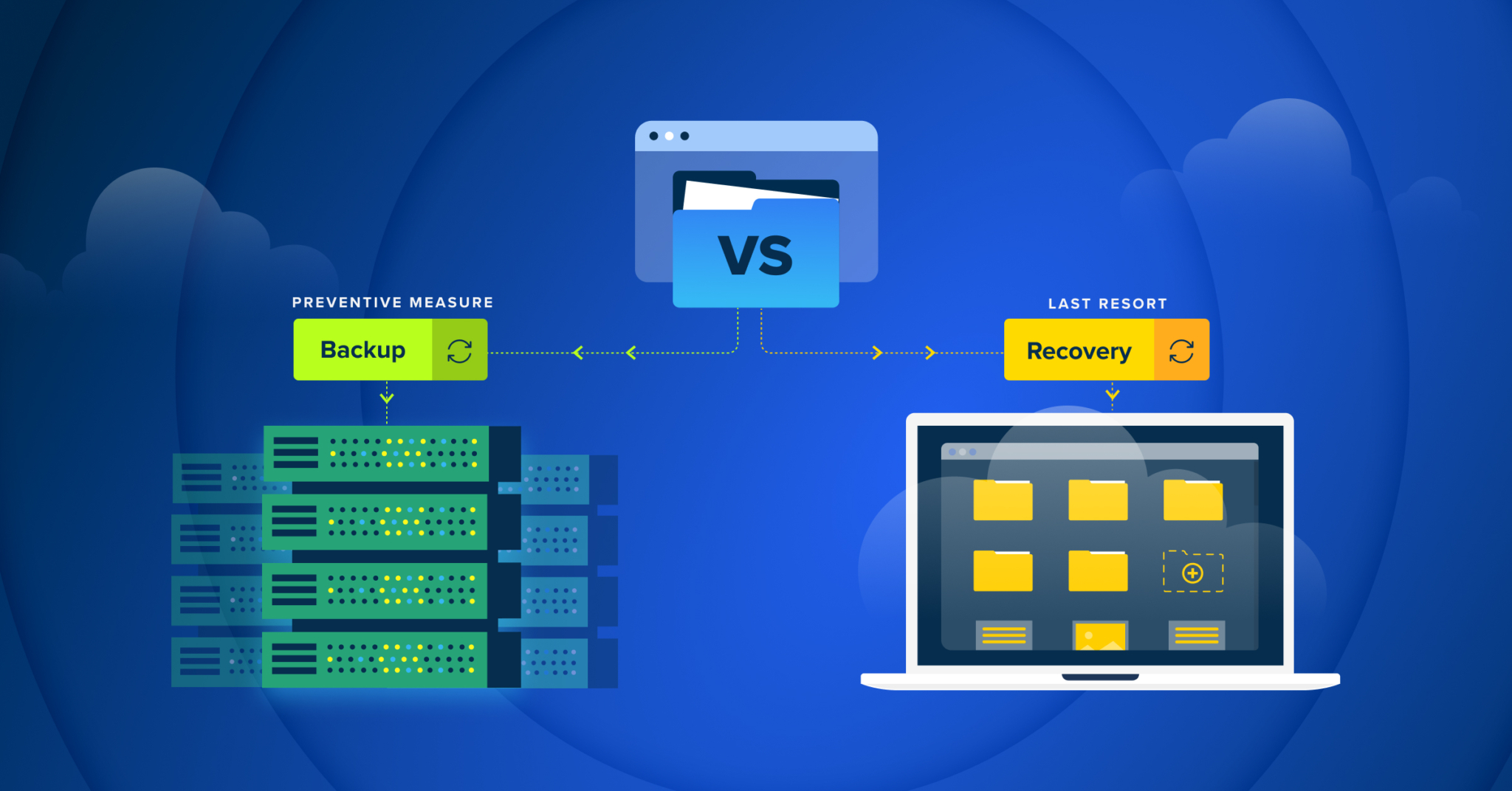
Data backup and disaster recovery are closely connected but they are not the same thing.
A backup creates a recoverable copy of information. Disaster recovery focuses on what happens after a disruptive event. It considers the systems that need to be restored, the order in which they should be restored and how the business will resume normal operations.
For example, a company may have current copies of its files but still face significant downtime if it does not know how to restore its servers, applications or network environment.
A useful disaster recovery plan should identify critical systems and establish practical recovery priorities. Businesses should also document the steps employees or IT professionals need to follow during an incident.
How Often Should Business Backups Be Tested?
One of the most overlooked parts of backup management is testing.
A backup can appear to be working while still having problems that prevent successful recovery. Files may be incomplete, backup jobs may have stopped running or recovery procedures may no longer match the current IT environment.
Regular recovery testing helps identify these problems before an actual emergency occurs.
Businesses should verify that:
- Backup jobs are completing successfully.
- Important files can be restored.
- Recovery procedures are documented.
- Backup copies are accessible when needed.
- Recovery processes still work after major technology changes.
Testing should also involve the systems that matter most to business operations rather than focusing only on whether individual files can be downloaded.

Protecting Backups From Ransomware
Ransomware creates an additional challenge because an attacker may attempt to encrypt both business files and available backups.
A strong backup strategy should therefore be considered alongside broader security controls. Network security, endpoint protection, access management, software updates and other safeguards can help reduce the likelihood that an attack will compromise business systems.
TechCare Computers also offers Network Security and Security and Virus Protection services as part of its business technology support.
Businesses using remote monitoring and management can also benefit from identifying potential problems before they become larger disruptions. TechCare’s RMM service describes real-time monitoring, ransomware detection and automated responses intended to help mitigate risks before they affect business operations.
What Should A Disaster Recovery Plan Prioritize?
Not every system needs to be restored at exactly the same time. A practical plan starts with the technology and information that the business cannot operate without.
Consider the following priorities:
Critical Business Data
Identify the files and databases employees need to perform their core responsibilities. This may include financial records, customer information, contracts, project files and other operational data.
Essential Applications
Determine which applications are required to access or process that information. Restoring files without restoring the applications needed to use them may not solve the underlying problem.
Network And Infrastructure
A recovery plan should account for the network equipment, servers and other infrastructure required to reconnect users and systems.
Communication
Employees need to know how to report an incident and where to find instructions if normal systems are unavailable. Clear communication can prevent confusion while technical recovery is underway.
How Culver City Businesses Can Prepare For Data Loss
Businesses in Culver City operate in a diverse local economy that includes professional services, healthcare, legal, finance, real estate, retail and other industries. Different organizations may have very different technology environments but they share one important concern: critical information needs to remain available when employees need it.
A local business can start by identifying its most important systems and documenting what would happen if those systems suddenly became unavailable.
Ask:
- How long could the business operate without access to its primary systems?
- Which information would need to be restored first?
- Could employees continue serving customers during an outage?
- Are backups separated from the systems they protect?
- Has the recovery process been tested recently?
- Who would coordinate recovery if a major technology failure occurred?
These questions can reveal weaknesses that are easy to overlook during normal operations.
For businesses that already have recurring technology issues, an IT assessment can also help identify weaknesses in backup procedures and recovery readiness. TechCare Computers’ Culver City IT assessment guidance specifically recommends reviewing backup procedures, recovery objectives and storage practices as part of evaluating an organization’s technology environment.

Common Mistakes Businesses Make With Backups
Even businesses that perform regular backups can have gaps in their recovery strategy.
Assuming A Successful Backup Means Recovery Is Guaranteed
A completed backup job does not prove that the business can successfully restore its systems. Recovery testing is essential.
Backing Up Only One Type Of Data
Businesses sometimes protect documents while overlooking databases, application data, configurations or other information required to resume normal operations.
Keeping Backups Too Close To Production Systems
If an incident affects the primary environment and its connected backup, the business may have fewer recovery options than expected.
Failing To Update The Recovery Plan
Technology environments change. New applications, employees, servers and cloud services can make an old disaster recovery plan inaccurate.
Waiting Until Something Goes Wrong
Creating a recovery plan after data has already been lost leaves little room for careful decisions. Reviewing backup and recovery procedures before an incident gives businesses more control over the process.
When Should A Business Review Its Backup Strategy?
A backup and disaster recovery plan should not remain unchanged for years.
Businesses should review their strategy after major technology changes such as adding new servers, adopting new applications, changing how employees work or significantly expanding operations. It is also useful to review recovery procedures periodically to make sure the documented process still reflects the actual IT environment.
For organizations experiencing repeated technical problems or uncertain about their recovery readiness, professional IT support can provide another way to evaluate the existing environment. TechCare Computers provides support for both private and corporate environments and lists data backup and disaster recovery, data recovery, business continuity planning and network management among its services.
Frequently Asked Questions About Business Data Backup And Disaster Recovery
How Often Should A Small Business Back Up Its Data?
The right backup frequency depends on how often critical business data changes and how much information the company could afford to lose. Businesses with frequently updated files or databases may need backups more often than organizations whose data changes less frequently.
What Should A Business Disaster Recovery Plan Include?
A disaster recovery plan should identify critical data, applications and systems, define recovery priorities and document the steps needed to restore operations. It should also identify who is responsible for coordinating recovery and include procedures that can be tested before an actual incident occurs.
How Can Businesses Protect Backups From Ransomware?
Businesses can reduce the risk of losing backups to ransomware by separating backup copies from production systems, controlling access to backup environments and regularly testing whether data can be restored. Backup protection should also be part of a broader network and security strategy.
Why Is Testing Business Backups Important?
Testing confirms that backed-up information can actually be restored when needed. A backup job may appear successful while files are incomplete or recovery procedures no longer match the company’s current technology environment.
How Long Does It Take To Recover Business Data After Data Loss?
Recovery time varies depending on the amount of data involved, the type of failure and the systems that need to be restored. Businesses can prepare by establishing recovery priorities and documenting procedures before an outage or data loss occurs.
Does A Business Need Both Data Backup And Disaster Recovery?
Yes. A backup provides a copy of business information while disaster recovery addresses the broader process of restoring data, systems and operations after a disruptive event. Using both helps businesses prepare for data loss as well as larger IT disruptions.
Data Backup And Disaster Recovery For Culver City Businesses
A backup should do more than exist on a storage device. It should support a realistic plan for getting important business information and systems back into operation.
For a business in Culver City, that means looking at the complete process: identifying critical data, choosing appropriate backup methods, protecting backup copies, testing restoration and documenting recovery procedures. The right strategy can reduce the disruption caused by hardware failures, accidental data loss, ransomware and other unexpected events.
TechCare Computers provides business IT support in the Los Angeles area and lists Data Backup and Disaster Recovery, Data Recovery, Business Continuity Planning and Network Security among its support services. If your Culver City business needs to review its current backup strategy or improve its approach to data recovery and business continuity, contact TechCare Computers to discuss your IT needs.