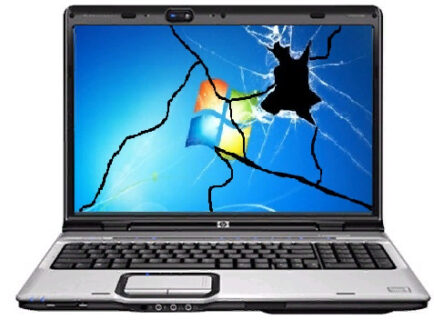
Small businesses often use a mix of Mac and Windows computers and supporting both platforms can become complicated when technical problems interrupt everyday work. Mac and PC support for businesses in Culver City can help companies troubleshoot computer problems, maintain their systems and keep employees focused on their work. TechCare Computers provides computer and network support for businesses and small offices, including troubleshooting and repairing computer problems. For companies using both Apple and Windows computers, having a single IT support resource can simplify the process of dealing with technical issues across the workplace.
Why Businesses Need Reliable Mac and PC Support
Computers are often central to daily business operations. Employees may depend on them for email, documents, web applications, communication, accounting, customer management and other business tasks.
When a computer stops working correctly, the impact can extend beyond the individual employee.
Different Platforms Can Create Different IT Problems
Mac and Windows PCs have different operating systems, hardware configurations, settings and software environments.
An issue that appears on a Mac may require a different troubleshooting approach than a similar problem on a Windows PC.
For businesses with mixed environments, IT support should take those differences into account instead of treating every computer problem in exactly the same way.
Employees Should Not Have to Become Their Own IT Department
Small businesses often do not have a dedicated employee responsible for every technical problem.
When something goes wrong, an employee may spend valuable time searching for solutions instead of completing their normal responsibilities.
Professional business computer support in Culver City can give employees a resource for technical problems involving supported computers and network environments.

Mac Support for Businesses in Culver City
Apple computers are common in many professional environments, particularly where employees rely on macOS-based applications and workflows.
Mac support in Culver City can be useful when a business needs help diagnosing problems with its Apple computers or determining whether an issue is related to software, configuration, connectivity or hardware.
Common Mac Problems Businesses May Encounter
Mac users can experience many of the same general technology problems as PC users, although the troubleshooting process may differ.
Examples include:
- Slow computer performance
- Application problems
- Operating system issues
- Connectivity problems
- Network access issues
- Peripheral connection problems
- Configuration issues
- Hardware-related problems
Not every issue requires the same solution. The first step is identifying what is actually causing the problem.
Supporting Macs Within a Business Network
A Mac does not operate independently of the rest of an office’s technology infrastructure.
It may need to connect to the same network, printers, shared resources, cloud applications or other systems used by Windows computers.
That means Mac troubleshooting sometimes requires looking beyond the individual computer and considering the broader network environment.
PC Support for Businesses in Culver City
Windows PCs remain widely used by businesses across many industries.
PC support in Culver City can help businesses address problems involving Windows computers, applications, connectivity, performance and other technical issues.
Common PC Problems
Business computers can experience issues such as:
- Slow startup or performance
- Application errors
- Operating system problems
- Network connectivity issues
- Peripheral problems
- Software configuration issues
- Hardware failures
- User access problems
Some issues can be addressed through software troubleshooting, while others may require physical inspection or hardware work.
Keeping Business PCs Working With the Existing Network
A computer problem may actually originate elsewhere.
For example, if several employees experience connectivity problems simultaneously, replacing or repairing one computer may not solve the underlying issue.
Network troubleshooting can help determine whether the cause is an individual workstation or part of the broader IT infrastructure.
TechCare Computers lists Network Management, Network Optimization, Troubleshooting and Full Network Maintenance among its business support services.
Mac vs. PC: Does Your Business Need Different IT Support?
The decision between Mac and PC is often based on the software employees use, company preferences, existing infrastructure and individual job requirements.
From an IT perspective, supporting both platforms requires an understanding of their differences.
Macs and PCs Can Coexist in the Same Office
Businesses do not necessarily need to standardize every employee on the same type of computer.
A mixed environment can work when the company’s network, applications, security practices and workflows are appropriately managed.
For example, a creative employee may use a Mac while another department relies on Windows PCs. Both computers may still need access to the same business network and shared resources.
Compatibility Matters
Before introducing a new type of computer into an existing environment, businesses should consider compatibility with:
- Business applications
- Printers and other peripherals
- Network resources
- File formats
- Cloud services
- Security tools
- Employee workflows
This can help avoid situations where a new computer creates unexpected technical problems.
Business Computer Support for Growing Companies
As a business grows, its computer environment can become more difficult to manage.
A company may start with a few computers and gradually add employees, devices, software and network equipment.
At that point, technical problems can become more frequent simply because there are more components involved.
When Your Business May Need Professional Computer Support
Consider getting professional IT assistance if:
- Employees regularly lose time troubleshooting computers.
- Computer problems are becoming more frequent.
- Multiple platforms are used within the company.
- Network problems affect several employees.
- There is no dedicated internal IT professional.
- Employees need help connecting computers to the business network.
- Business owners are handling technical problems themselves.
- Computer issues are interfering with productivity.
The goal is not necessarily to eliminate every technical problem. It is to have an appropriate process for identifying and resolving them.
Mac and PC Support Should Include the Network
A computer is only one component of a business’s technology environment.
Employees may depend on the office network, internet connection, printers, servers, cloud applications, wireless devices and other infrastructure.
If a computer repeatedly loses connectivity, for example, the problem may involve the workstation itself – or something further upstream.
Look Beyond the Individual Computer
Good troubleshooting starts with identifying the scope of the problem.
If only one employee is affected, the workstation may be the logical starting point.
If several employees are experiencing the same issue, the network or another shared resource may need to be investigated.
This broader approach can prevent businesses from repeatedly addressing symptoms without identifying the underlying cause.
Remote and On-Site Computer Support
Not every computer problem requires someone to physically visit the office.
Some software, configuration and other technical issues can be investigated remotely. Other situations require physical access to the computer or network equipment.
TechCare Computers lists remote access and on-site support among its support capabilities.
When Remote Support May Be Appropriate
Remote troubleshooting can be useful for issues that can be diagnosed electronically, such as certain:
- Software problems
- Configuration issues
- Application errors
- Connectivity problems
- System settings
When Physical Support May Be Needed
A technician may need physical access when the problem involves:
- Failed hardware
- Damaged cables
- Physical network equipment
- Certain peripheral problems
- Other issues that cannot be diagnosed remotely
The appropriate support method depends on the problem.
Mac and PC Support in Culver City
Businesses in Culver City operate within the larger Los Angeles business environment and may use a wide range of technology depending on their industry and size.
A small office might have several Windows PCs and one or two Macs. Another company might use Macs almost exclusively. Some businesses may have employees working across different locations.
TechCare Computers supports business and small-office computer environments in the Los Angeles area. Its services include computer troubleshooting and repair as well as broader network support.
For a company searching for Mac support in Culver City or PC support in Culver City, the useful question is not simply whether a technician can fix one computer. It is whether the support approach accounts for how that computer fits into the company’s overall IT environment.

FAQ About Mac and PC Support for Businesses
Can one IT provider support both Mac and Windows PCs?
Yes. A business can use a mixed Mac and Windows environment, although the provider needs to understand the technical differences between the platforms and how they interact with the company’s network and applications.
What does business computer support in Culver City include?
Computer support can involve troubleshooting and repairing computer problems, diagnosing software and configuration issues, and addressing connectivity or other technical problems. The exact support required depends on the company’s environment and the specific issue.
Can a network problem look like a Mac or PC problem?
Yes. A computer that cannot connect to an application, shared resource or network may be experiencing an issue outside the computer itself. Network troubleshooting can help determine where the actual problem originates.
Can computer problems be handled remotely?
Some can. Software, configuration and certain connectivity issues may be suitable for remote troubleshooting, while hardware and physical infrastructure problems may require on-site support.
Computer Support for Your Culver City Business
Your employees should be able to focus on their work rather than spending hours trying to figure out why a Mac, PC, application or network connection is not working.
Whether your office uses Windows PCs, Macs, or a combination of both, computer support should consider the individual device as well as the network and technology environment around it.
TechCare Computers provides computer and network support for businesses and small offices, including troubleshooting and repair, remote access, network management, network troubleshooting and other IT services.
If you need business computer support in Culver City, contact TechCare Computers to discuss your company’s computer and network requirements.